


Your Guide to Chevrolet Infotainment, Troubleshooting, and Radio Diagnostics
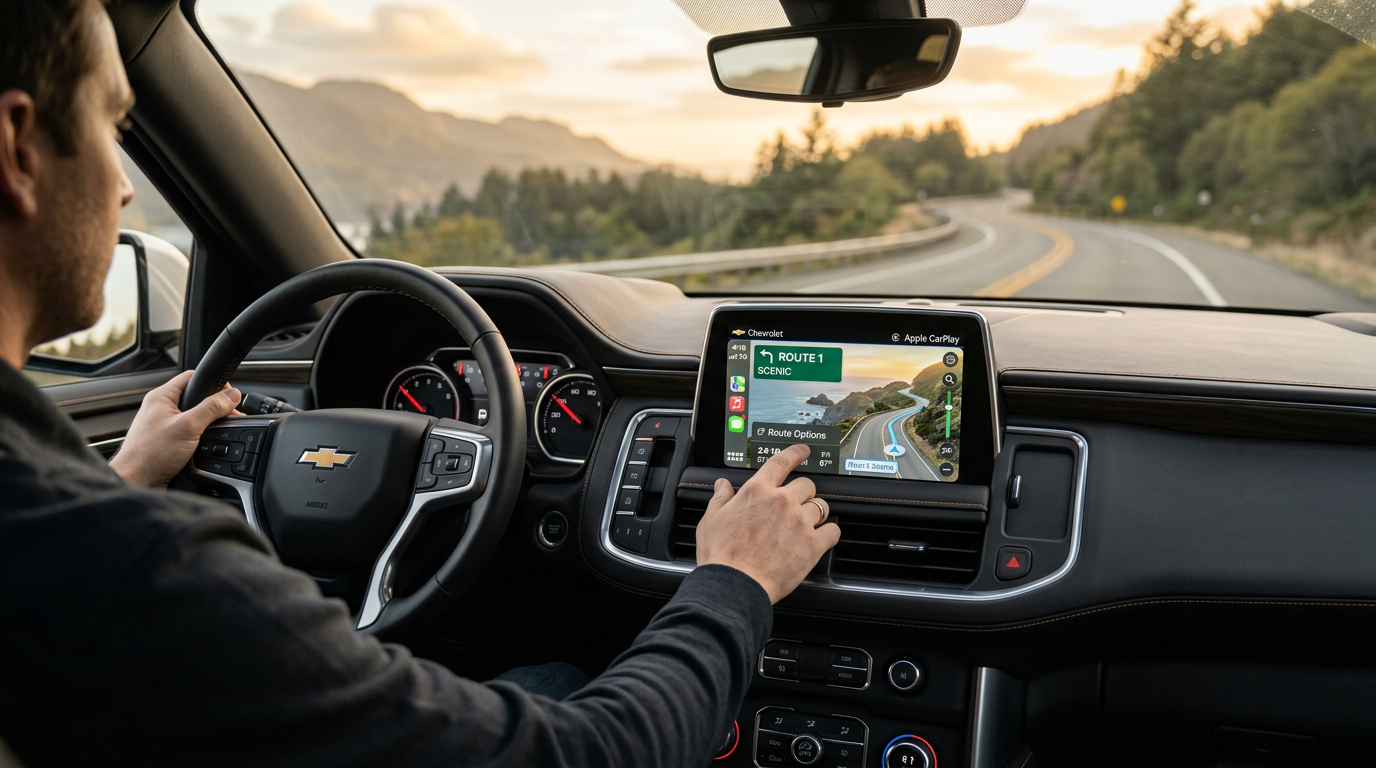
Mastering Your Chevrolet Infotainment System for Road Trips
One of the first things we do in the service department before a busy holiday weekend is help drivers get their cabin tech dialed in. Modern vehicles rely on software to keep you connected, and making sure your system is ready before a long drive prevents frustrating connectivity issues along the highway. Before you pack up the family for a weekend of boating and fishing on the water at Guntersville, taking ten minutes to configure your dashboard settings ensures that your navigation, music, and communication run seamlessly.
The core of this preparation involves pairing your primary devices and setting up driver profiles. The Chevrolet Infotainment 3 Premium system allows you to save custom configurations for multiple drivers, which automatically adjust your favorite radio stations, map preferences, and display layouts as soon as you step inside. If you plan to use wireless Apple CarPlay or Android Auto, we recommend deleting old, unused phone profiles from the vehicle’s memory to prevent the system from attempting to connect to the wrong device when you start the ignition.
If you are experiencing minor pairing lag or want to ensure your system has the latest software features loaded before you travel, our factory-trained technicians are always here to assist. You can reach out to our team directly at (256) 578-9170 to ask questions or verify your software version. If you are looking to upgrade to a newer model with advanced connectivity features, you can also browse our current Chevrolet special incentives online. When you are ready to visit us in person, you can easily find our physical showroom to explore our latest tech-equipped models.
Table of Contents
- Understanding Diagnostic Fees and Radio Troubleshooting at the Dealership
- Resolving Screen Freezes and Checking for Over-The-Air Chevrolet Updates
- Exploring Screen Configurations and Google Built-In across the 2026 Lineup
- Preparing Your Cabin Tech and Securing Professional Support Before You Depart
Understanding Diagnostic Fees and Radio Troubleshooting at the Dealership
Many of our customers ask about the costs involved when a touchscreen or radio starts acting up right before a big trip. If your screen goes completely dark, fails to respond to touch, or loses audio output, a professional diagnostic check is the most reliable way to find the root cause. Dealerships typically charge a diagnostic fee ranging between $100 and $200, which covers the specialized labor and advanced scanning equipment required to pinpoint the exact issue. At Guntersville Chevrolet, this diagnostic fee is often applied directly toward the cost of the repair if you choose to have our service department complete the work on-site.
The diagnostic process is highly detailed and involves much more than simply checking a fuse. Our technicians connect a factory-grade Multiple Diagnostic Interface tool to read communication codes across the vehicle’s Controller Area Network bus. This allows us to determine if the issue lies within the radio silver box receiver, the human-machine interface module, or the physical touchscreen display. Tracing wiring harnesses for voltage drops or ground issues is also a critical step, as a loose connection behind the dashboard can mimic a complete hardware failure.
For owners of larger family vehicles, keeping these systems in top shape is essential for passenger comfort. For example, if you are driving a model with a rear-seat entertainment system, a malfunction in the main head unit can disable the screens in the back. If a major hardware replacement is required and you decide it is time to explore other options, you can browse our pre-owned vehicle inventory to find a model that fits your needs. Our financing department services are available to help you explore your purchase paths, and you can easily complete an online credit application to get pre-approved before visiting our service center.
When analyzing the costs of keeping a premium family vehicle maintained, it helps to understand the baseline specifications of these high-end models. For instance, the luxury-oriented High Country trim carries a base MSRP of $83,700 with a destination charge of $2,795. If you are looking at other configurations, the entry-level LS starts at an MSRP of $63,700, while the well-equipped LT is positioned at $66,700. Higher-tier models like the Premier carry an MSRP of $78,600, the sporty RST sits at $71,700, and the off-road-ready Z71 is priced at $73,700, with all of these models sharing the same $2,795 destination charge.
Pricing
Pricing by trim
| Feature | High Country | LS | LT | Premier | RST | Z71 |
|---|---|---|---|---|---|---|
| Base MSRP | $83,700 | $63,700 | $66,700 | $78,600 | $71,700 | $73,700 |
| Destination charge | $2,795 | $2,795 | $2,795 | $2,795 | $2,795 | $2,795 |
Resolving Screen Freezes and Checking for Over-The-Air Chevrolet Updates
I often hear from drivers who are frustrated by a screen that suddenly goes dark or freezes while they are navigating. In many cases, these temporary glitches are caused by pending background processes or corrupted Bluetooth pairing files. If your screen freezes while driving, you can perform a soft reset by holding down the home and fast-forward buttons on the dashboard simultaneously for about ten seconds. This forces the system to reboot without deleting your saved settings or driver profiles.
Another common culprit behind a completely unresponsive screen is a simple blown fuse. The infotainment system is protected by a dedicated fuse in the instrument panel fuse block, usually labeled Radio, Info, or Display. If this fuse blows, power is cut off entirely, preventing the screen from turning on. Replacing a blown fuse is a quick and inexpensive fix, but if the new fuse blows immediately after installation, it indicates a short circuit in the wiring that requires professional diagnostic attention.
To prevent these software glitches from occurring in the first place, it is vital to keep your system updated. Chevrolet vehicles equipped with OnStar Connected Services can receive over-the-air software updates directly through an active LTE connection or a secure Wi-Fi network. You can check for updates manually by navigating to the Settings menu on your touchscreen, selecting System, and then choosing Software Updates. If your vehicle is outside of its 3-year/36,000-mile bumper-to-bumper warranty, keeping up with these updates can prevent costly hardware wear. If you need to replace any physical components, you can review our parts warranty coverage or order upgraded components through our official accessories store. If you are planning a larger vehicle upgrade, you can also apply for credit online to simplify your next purchase.
Engine & Performance
Powertrain specs by trim
| Feature | High Country | LS | LT | Premier | RST | Z71 |
|---|---|---|---|---|---|---|
| Engine | 6.2L | 5.3L | 5.3L | 5.3L | 5.3L | 5.3L |
| Horsepower | 420 hp | 355 hp | 355 hp | 355 hp | 355 hp | 355 hp |
| Torque | 460 lb-ft | 383 lb-ft | 383 lb-ft | 383 lb-ft | 383 lb-ft | 383 lb-ft |
| Transmission | 10-speed automatic | 10-speed automatic | 10-speed automatic | 10-speed automatic | 10-speed automatic | 10-speed automatic |
| Drivetrain | Rear-wheel drive | Rear-wheel drive | Rear-wheel drive | Rear-wheel drive | Rear-wheel drive | Four-wheel Drive |
Exploring Screen Configurations and Google Built-In across the 2026 Lineup
Let me explain how screen setups and software capabilities vary across the latest lineup of trucks and SUVs. The modern Chevrolet lineup features some of the most advanced cabin technology available, but the exact configurations depend on the model and trim level you choose. If you are commuting daily across the Sand Mountain plateau from Albertville, having a clear, high-definition display makes managing your navigation and hands-free calls effortless. Entry-level models typically feature an 8-inch or 11-inch touchscreen, while higher trims receive massive upgrades.
For instance, the latest Chevrolet Infotainment 3 system with Google built-in comes standard on mid-to-high-tier trims, offering integrated Google Maps, Google Assistant voice control, and access to applications via the Google Play Store. On models like the 2026 Chevrolet Equinox, you will find an 11.3-inch diagonal infotainment touchscreen paired with an 11-inch diagonal Driver Information Center. If you step up to a larger truck or SUV, such as the 2026 Chevrolet Silverado 1500 LT or higher, the dashboard is dominated by a stunning 13.4-inch diagonal multi touch HD color touchscreen.
These advanced systems are designed to make managing your vehicle’s physical capabilities simpler. In a large vehicle like the Chevrolet Suburban, the central screen serves as the control hub for passenger comfort and cargo management. The LS, LT, Premier, RST, and Z71 trims all offer seating configurations for up to 8 passengers, while the top-tier High Country features seating for 7 passengers. Across all trims, you will find a generous cargo capacity of about 41.5 cu ft behind the third row. The curb weight ranges from 5,680 lbs on the LS, LT, Premier, and RST trims to 5,858 lbs on the High Country and 5,873 lbs on the Z71. When it comes to hauling, the towing capacity reaches 8,200 lbs on the LT, Premier, and RST, while the LS is rated at 7,700 lbs, and both the High Country and Z71 can tow up to 8,000 lbs. Payload capacities are also robust, offering 1,750 lbs on the LS, LT, Premier, and RST, 1,612 lbs on the High Country, and 1,759 lbs on the Z71.
If you want to experience these screen layouts firsthand, you can explore our virtual model showroom to compare different cabin configurations. We stock a diverse range of vehicles, allowing you to find a new Chevrolet Suburban inventory match or check out a new Chevrolet Traverse inventory option. If you need a light-duty or heavy-duty truck, you can also browse our new Chevrolet Silverado 1500 selection online to see which screen size fits your driving style.
Dimensions & Capacity
Capacity and dimensions by trim
| Feature | High Country | LS | LT | Premier | RST | Z71 |
|---|---|---|---|---|---|---|
| Seating | 7 | 8 | 8 | 7 | 8 | 8 |
| Cargo | 41.5 cu ft | 41.5 cu ft | 41.5 cu ft | 41.5 cu ft | 41.5 cu ft | 41.5 cu ft |
| Curb weight | 5,858 lbs | 5,680 lbs | 5,680 lbs | 5,680 lbs | 5,680 lbs | 5,873 lbs |
| Towing | 8,000 lbs | 7,700 lbs | 8,200 lbs | 8,200 lbs | 8,200 lbs | 8,000 lbs |
| Payload | 1,612 lbs | 1,750 lbs | 1,750 lbs | 1,750 lbs | 1,750 lbs | 1,759 lbs |
Preparing Your Cabin Tech and Securing Professional Support Before You Depart
Working with families who are preparing for long-distance travel has taught us that a little preparation goes a long way. Before you set out on the highway, we highly recommend running through a quick technology checklist. Ensure that your phone’s operating system is fully updated, clear out any old Bluetooth connections that might cause interference, and download offline maps on Google Maps so you can still navigate if you pass through areas with poor cellular reception.
If you do encounter an unexpected hardware issue or a flat tire while traveling, remember that your vehicle is backed by manufacturer support. Every new Chevrolet comes with Chevrolet Roadside Assistance, which you can reach directly by calling Chevrolet Roadside Assistance: 1-800-243-8872. This service provides exclusive benefits, including towing to the nearest authorized Chevrolet service center, flat tire changes using genuine GM parts, and lockout assistance. Utilizing manufacturer-backed roadside support ensures that your vehicle is handled by certified technicians who understand the complex electrical and software systems of your specific model.
Our team at Guntersville Chevrolet is dedicated to keeping your vehicle safe, connected, and performing at its best. If you need to have your tires inspected, your software updated, or your radio diagnosed before your next trip, you can use our online service scheduler to book an appointment. If your tires are showing signs of wear, our specialized tire center can help you find the right replacements for your vehicle. For those looking to upgrade their ride entirely, our trade-in valuation tool provides an instant estimate of your current vehicle’s worth. When you are ready to stop by, our dealership location is easy to find, and you can always call us at (256) 578-9170 to speak with a service advisor.
### Fuel Economy *Fuel economy and range by trim*
| Feature | High Country | LS | LT | Premier | RST | Z71 |
|---|---|---|---|---|---|---|
| MPG | 15 city / 19 hwy / 16 combined | 15 city / 20 hwy / 17 combined | 15 city / 20 hwy / 17 combined | 15 city / 20 hwy / 17 combined | 15 city / 20 hwy / 17 combined | 14 city / 19 hwy / 16 combined |
© 2026 Guntersville Chevrolet. All rights reserved.
0 comment(s) so far on Your Guide to Chevrolet Infotainment, Troubleshooting, and Radio Diagnostics